Product Designer • AI PM, 2 Developers • 2026
AI Reader in Smartbook
At the start of 2026, I led design for a gen-AI study tool to give underserved students personalized learning. Today, it accounts for 91% of AI Reader's usage in McGraw Hill products.
52M interactions from 2.3M+ students since launch
Feature Adoption
Spend 2.12x more time on their assignments
Students using AI Reader

Louis Nejame – AI PM
Ethan has been the secret weapon for me to getting projects off the ground/unstuck etc. He's on our Design team and brings the forward thinking design we desperately need, and has navigated a lot of red-tape to get us great mockups.
In addition, Ethan just rocks so he's a good guy to know
Context
AI Reader is a gen-AI tool: select any text, get simplified explanations and study tools. Smartbook is an adaptive assignment that points students toward concepts they aren't yet confident on.
Today's reality: ChatGPT doesn't cover learning science
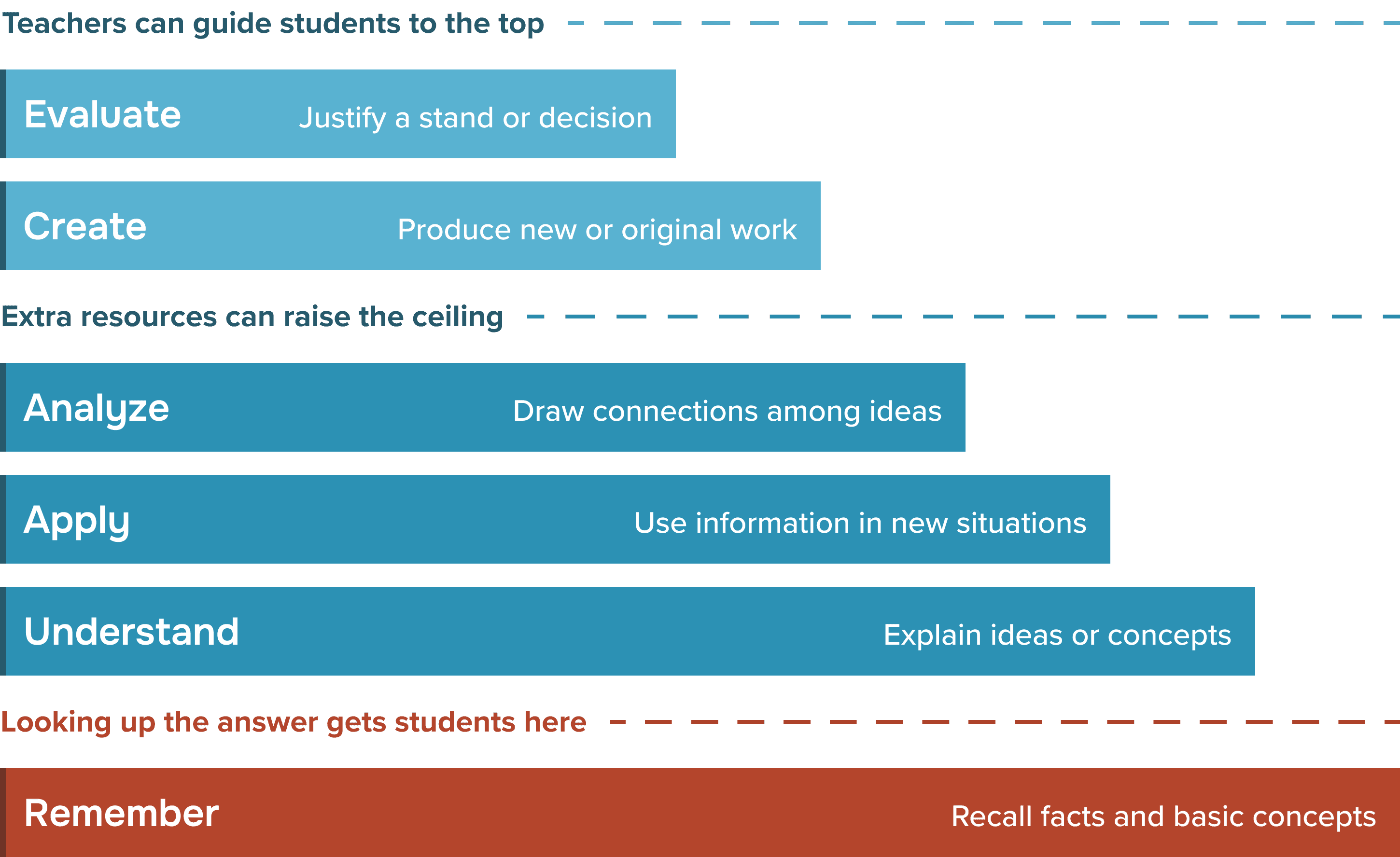
Over 60% of students use AI to look up the answer. They might achieve basic recall for what they learn, but these same students show less ability at understanding, analyzing or applying those concepts.
McGraw Hill's answer: AI Reader launched in eBook
AI Reader in eBook launched in 2025, and within 3 months, 19,980 students were actively using the proof of concept.
Smartbook has 3x as much usage, so the AI product owner and I started to build a case for AI Reader in Smartbook, hoping to reaching another 3.3M+ students.
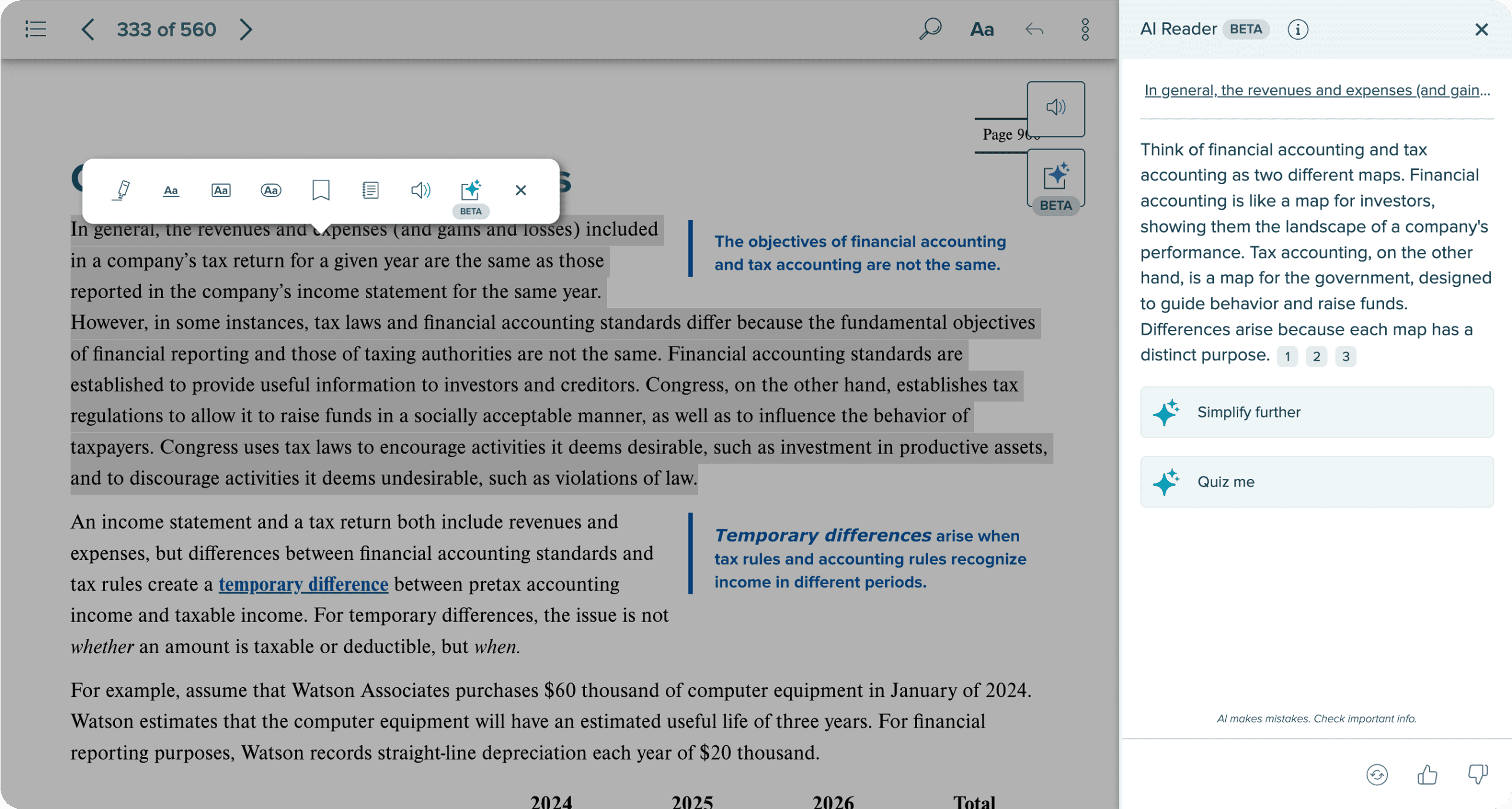
How might we put a successful feature like AI Reader into a feature-robust assignment like Smartbook?


I wanted to send students straight into deeply learning concepts
Currently, students will read a Smartbook chapter, answer a few questions to see what they learned, and then reread about concepts they got wrong. AI Reader naturally found a home to support to students once they got a question wrong.

I tried placing AI Reader directly within a question, side-by-side to a question, and even turning AI Reader into an AI prompt after a wrongly answered question.

Students do NOT read, so why make them?
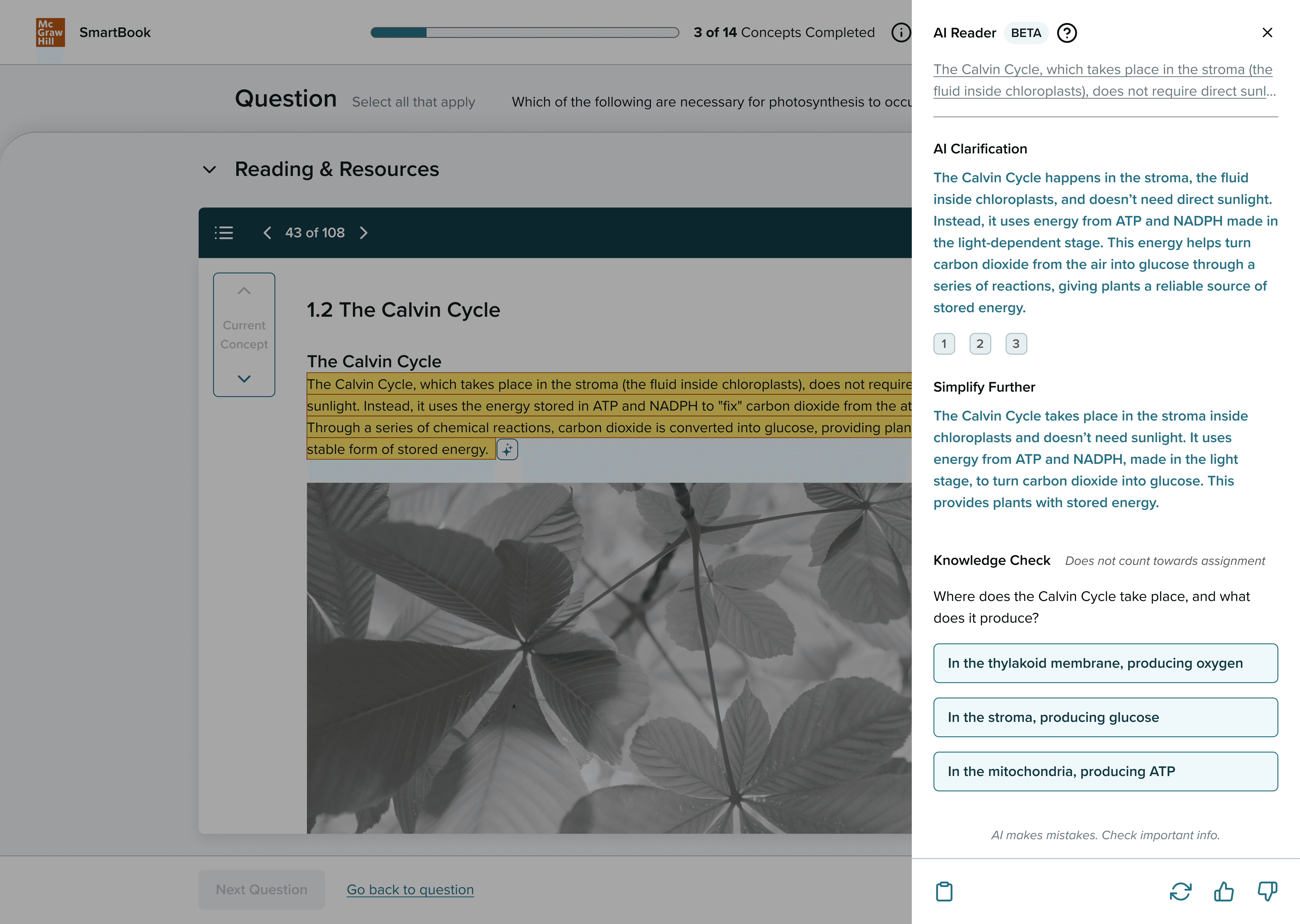
The standout idea was AI Reader embedded directly in questions.
Should AI Reader be first or second next to authored content?
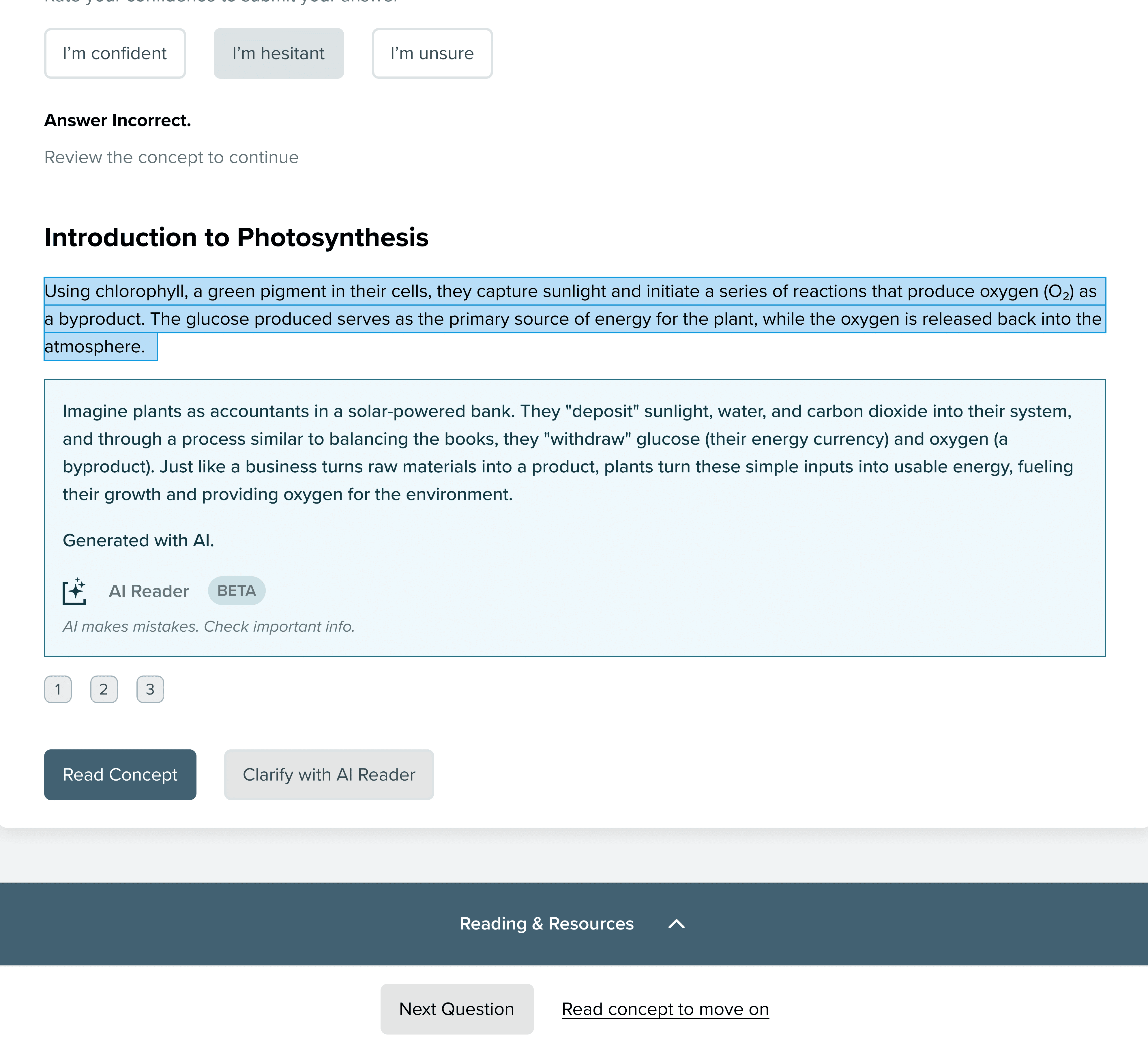
Embedded directly in questions
Students almost always entirely skipped authored content, and even more shocking, was when a student took a hallucination as the truth.
Secondary to eBook content
" height="15.306578032156228px" id="Yc1ceNc7y" width="16px"/></svg>)
I interviewed two authors, too, and they felt completely replaced. Trust would be broken if we showed AI content first.
Since Smartbook was much more complex, should the form of AI Reader be more digestible?
I tested AI Reader as a popup for each concept with students.

But students quickly pointed out the loss of persistent history, and we knew this would be more troublesome for our 74% of students using Smartbook with their smart phones.
Two additional, hidden gems appeared through our constant feedback loop
Students gave overwhelmingly positive responses when I tried out AI Reader being openable directly beside every concept. It became our main selling point.
During interviews, I had noticed students switching between the reading and questions tabs constantly when they forgot what they were doing. Having the question stem show was a top-loved idea that made it's way into the product.

Post launch, AI Reader in Smartbook brings deeper learning to the students looking for it
52M interactions from 2.3M+ unique users, 91% using Smartbook
Students with usage spend 112% more time on the platform than non-AI users
No signs of systematic cheating. (-5.1pp first-tries correct)
This project's process was constantly changing, and it produced fast, chaotic ideas
On paper, we did two testing rounds; n=6 and n=7 with students. In reality though, we changed designs, tried new directions, and shared different ideas after almost every call we had, and it was very much the three of us trying a million things out.

Reflection
Working in such a minimal, blue-sky space showed me the value in tight, consistent feedback loops. I was in calls with students and teachers every day, showing design ideas, and furiously trying new ideas based on our conversations.
This was my 10% project at the time, something I took on outside of work hours. The things I learned and the connections I made are some of my most valuable ones yet.